


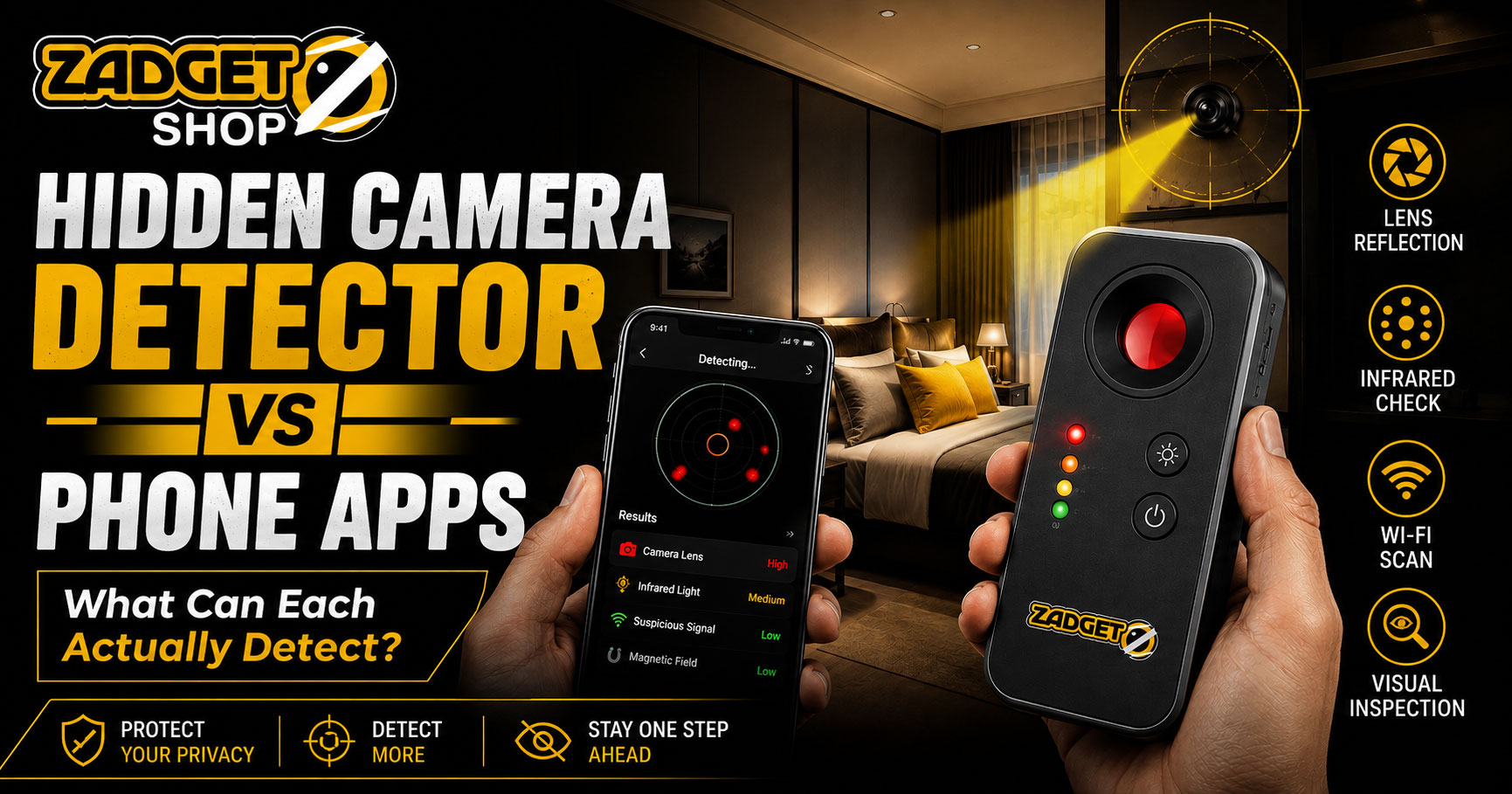
Your phone can help you check a room for some hidden-camera clues, but it is not a universal hidden camera detector.
Phone cameras, flashlight checks, network-scanning apps and physical detectors all look for different signals. A method that helps find one type of camera may completely miss another.
That is why the better question is not:
“Which one is best?”
It is:
“What exactly can each method detect?”
Quick Answer: Hidden Camera Detector vs Phone Apps
A phone can assist with several privacy checks:
- its flashlight can help reveal some lens reflections
- its camera may display certain infrared emitters
- network apps may show devices visible on the same Wi-Fi network
A physical hidden-camera detector may instead use optical lens reflection, radio-frequency detection or multiple detection modes, depending on the device.
Neither approach can prove that a room is completely camera-free.
A powered-off camera, locally recording camera, wired camera or deeply concealed lens may escape one or more methods.
The most practical approach is to understand what signal you are looking for and use the appropriate checking method.
Hidden Camera Detector vs Phone Apps: At a Glance
| Method | What It May Help Find | Important Limitation |
| Phone flashlight | Visible lens reflections | Glass, screws and shiny surfaces can also reflect |
| Phone camera | Some infrared emitters | Many phones filter infrared light |
| Wi-Fi/network app | Devices visible on an accessible network | Offline, wired or separate-network cameras may not appear |
| Optical lens detector | Reflective visible camera lenses | Requires a visible optical path to the lens |
| RF detector | Active radio transmissions | Cannot identify every signal as a camera |
| Multi-function detector | Depends on included modes | Capabilities vary significantly by model |
The table shows why “phone vs detector” is not a simple one-to-one comparison.
Different tools detect different clues.
What Can a Phone Actually Do When Checking for Hidden Cameras?
A modern smartphone already contains several tools that can support a basic room inspection.
However, no standard phone feature automatically scans a room and reliably declares it camera-free.
1. Use the Phone Flashlight to Look for Lens Reflections
Camera lenses can produce concentrated reflections when light reaches the lens from close to the viewer’s line of sight.
You can perform a simple check by:
- reducing the room’s ambient light
- holding your phone flashlight near eye level
- slowly scanning objects facing private areas
- watching for small concentrated reflections
- changing your angle and distance
- inspecting anything suspicious in normal light
This method is inexpensive and immediately available.
But it also produces false positives.
Glass, polished screws, mirrors, glossy plastic and metallic surfaces can reflect your flashlight.
A reflection is therefore a clue—not proof of a hidden camera.
Research into concealed-camera detection has explored this retroreflection principle using specialized smartphone sensors. However, an ordinary phone flashlight does not have the same capabilities as specialized sensing hardware.
Can a Phone Camera Detect Infrared Hidden Cameras?
Sometimes.
Many cameras with night-vision capability use infrared illumination that human eyes cannot see directly.
Some smartphone camera sensors can display certain infrared wavelengths as a bright or colored light on the screen.
Before relying on this method, test your phone.
Simple IR Test
- Open your phone camera.
- Point a TV remote control toward the camera.
- Press a button on the remote.
- Look for flashing light on the phone screen.
- Repeat the test using both front and rear cameras.
If one camera displays the remote’s infrared emitter, that camera may help you notice some active infrared sources in a dark room.
But there are major limitations.
A hidden camera may:
- not use infrared
- have night vision turned off
- use a wavelength your phone filters
- be powered off
- record without producing visible IR illumination
Seeing an infrared point also does not prove that the object is recording video.
What Do Hidden Camera Detector Apps Actually Do?
The phrase “hidden camera detector app” can be misleading because apps do not all perform the same function.
Most rely on capabilities already available on the phone rather than adding a new physical sensor.
An app might help with:
- network-device discovery
- magnetic-sensor readings on compatible phones
- camera/flashlight-based visual checking
- guided inspection checklists
An app cannot simply download a new sensor into your phone.
If your phone lacks the hardware required to detect a particular signal, software alone cannot create that capability.
This is one of the biggest differences between a hidden camera detector app vs physical detector.
Can Wi-Fi Apps Find Hidden Cameras?
A network-scanning app may show devices that are visible on the Wi-Fi network you are authorized to use.
For example, you may see:
- televisions
- routers
- access points
- smart speakers
- IoT devices
- unfamiliar device names
If an unfamiliar device appears, that may give you something to investigate or ask the property about.
However, a Wi-Fi device list is not a map of cameras inside your room.
A hidden camera can avoid appearing in your scan if it:
- records to a memory card
- uses another Wi-Fi network
- uses cellular connectivity
- connects through Ethernet
- sits on an isolated network segment
- hides or obscures its identity
- is switched off during the scan
Hotels also commonly operate many legitimate connected devices.
That makes network results useful for investigation, but poor as standalone proof.
Research into wireless-camera localization shows that more reliable detection can require specialized signal analysis and hardware beyond what a basic network-listing app provides.
What Does an Optical Hidden Camera Detector Do?
An optical camera-lens detector focuses on a different clue: the physical camera lens.
It uses aligned illumination and a viewing system to help make lens reflections easier to notice during a manual scan.
This is the category that Zadgetshop’s Mini Hidden Camera Detector belongs to.
The device uses an LED-assisted optical lens-checking method.
It is intended to help users scan suspicious objects for visible reflective camera lenses.
It is not presented by Zadgetshop as:
- an RF detector
- a GPS tracker detector
- a Wi-Fi scanner
- a listening-device detector
- a magnetic-field detector
That distinction matters.
A device should be evaluated according to the detection technology it actually contains—not simply because the packaging says “camera detector.”
Optical Detector vs Phone Flashlight
These methods use a similar general principle: looking for lens reflections.
The difference is that a dedicated optical detector places the light and viewing position close together and provides a dedicated viewing filter.
A phone flashlight can still be useful, especially when you do not have another tool available.
However, both methods share an important limitation:
They require a usable optical path to the lens.
If a lens is completely blocked, deeply recessed, facing another direction or hidden behind material that prevents useful reflection, an optical scan may miss it.
Neither method sees through solid objects.
What Does an RF Hidden Camera Detector Find?
An RF detector searches for radio-frequency transmissions.
This can potentially help identify actively transmitting wireless electronics.
But an RF alert does not automatically mean:
“There is a hidden camera here.”
Hotel rooms and homes may contain legitimate radio-emitting devices such as:
- routers
- phones
- Bluetooth accessories
- smart televisions
- access points
- wireless sensors
- other electronics
An RF detector also may not help with a camera that:
- records locally without transmitting
- uses a wired connection
- is powered off
- transmits only occasionally
This is why optical and RF detection should not be treated as interchangeable.
Can a Phone Replace a Hidden Camera Detector?
Not completely.
A phone is extremely useful because you already carry it and it can support several checks.
It can provide:
- flashlight-assisted reflection checks
- limited infrared observation
- authorized Wi-Fi network inspection
- photos and videos for documentation
But a phone does not automatically replace specialized detection hardware.
Likewise, a physical detector does not replace careful visual inspection.
The best tool depends on what you are trying to find.
What Happens With Different Types of Cameras?
Powered-On Wireless Camera
A phone network app may notice it if the camera is visible on the same accessible network.
An RF detector may also respond to active radio transmission.
An optical detector may help if the physical lens is visible.
None of those results individually proves that the device is a camera.
Powered-Off Camera
Network and RF checks will generally have little to work with if the device is not communicating.
An optical lens check may still reveal a visible reflective lens, although detection is not guaranteed.
Wired Camera
A Wi-Fi scan may miss it entirely.
An RF detector may also have nothing useful to detect if the camera is not transmitting wirelessly.
An optical check may still help if its lens can be seen.
Camera Recording to a Memory Card
A locally recording camera may produce no Wi-Fi entry and no continuous wireless transmission.
Again, physical lens inspection may be more relevant.
Infrared Night-Vision Camera
A compatible phone camera may display some active IR emitters.
However, this depends on the phone’s camera filters and the wavelength used.
An optical lens check may provide a separate clue.
Deeply Concealed Camera
No consumer tool should be assumed to reliably find every deeply hidden device.
Obstruction, orientation, construction materials and the technology being used all affect detection.
Which Method Is Better for Hotel Rooms?
There is no single method that wins every scenario.
For a hotel, guesthouse or short-term rental, a practical sequence is:
- perform a normal visual inspection
- identify objects facing the bed, bathroom or changing area
- check unusual holes, wiring and modified electronics
- use a flashlight or optical detector to look for lens reflections
- test your phone camera for infrared sensitivity
- inspect the authorized Wi-Fi network if appropriate
- re-check any suspicious finding from different angles
Our separate guide explains the full process in more detail:
How to Check a Hotel Room for Hidden Cameras in Bangladesh: 7 Practical Methods
The goal is a calm, repeatable inspection—not assuming every unfamiliar device is surveillance equipment.
What About Hidden Camera Detector Apps That Promise “100% Detection”?
Be cautious.
A consumer phone app should not be able to guarantee discovery of every hidden camera because cameras can differ in:
- power state
- connection method
- recording method
- physical concealment
- wireless technology
- lens visibility
- infrared capability
An app that relies on Wi-Fi cannot reliably find every offline camera.
An app relying on a magnetometer cannot automatically identify every electronic device as a camera.
A camera-based app still depends on what the phone sensor can physically observe.
“100% detection” is therefore not a realistic standard for general hidden-camera checking.
What Is the Best Practical Approach?
Instead of searching for one “magic” detector, combine methods that look for different clues.
Start With Visual Inspection
Look for:
- unusual openings
- unexplained wires
- electronics aimed toward private areas
- objects that appear modified
- unfamiliar devices
Add an Optical Check
Use a flashlight or optical detector to look for repeatable lens reflections.
Use the Phone Carefully
Test for infrared and inspect authorized network devices while understanding the limitations.
Verify Before Drawing Conclusions
If you see:
- a reflection
- an infrared light
- an unfamiliar Wi-Fi device
- an RF alert
do not immediately assume surveillance.
Re-check the finding and identify the actual object whenever possible.
Hidden Camera Detector vs Phone Apps: Which Should You Choose?
Choose based on the problem you want to solve.
If you want a free first-line check, your phone is useful.
If your main goal is scanning for visible camera-lens reflections, a dedicated optical detector may make that particular process more convenient and systematic.
If you specifically need to investigate active wireless transmissions, you would need equipment designed for RF detection rather than assuming an optical detector performs that function.
For frequent travelers, combining a phone with a small dedicated optical tool can provide more checking options without pretending either one is universal.
Zadgetshop’s Mini Hidden Camera Detector is intended specifically for LED-assisted optical lens-reflection checking.
A Note for Travelers in Bangladesh
Whether staying in Dhaka, Cox’s Bazar or another destination, the same principle applies:
Check methodically rather than fearfully.
Do not assume that every smoke detector, clock, socket or electronic device contains a camera.
Instead, focus on unexplained details and verify anything genuinely suspicious.
If you believe you have found an unauthorized recording device, prioritize your immediate safety, document the situation where appropriate and contact the property management or relevant authorities.
Frequently Asked Questions
Can a phone really detect hidden cameras?
A phone can assist with flashlight reflection checks, some infrared checks and authorized network scanning. It cannot reliably detect every hidden camera, especially powered-off, wired, locally recording or deeply concealed devices.
Is a hidden camera detector better than a phone app?
Not automatically. They may detect different clues. An optical detector looks for lens reflections, while a network app looks for visible network devices. The better option depends on what type of camera or signal you are trying to find.
Can an iPhone detect hidden cameras without an app?
An iPhone can be used for visual inspection, flashlight reflection checks and, depending on the camera sensor, some infrared observation. These methods cannot guarantee detection of every hidden camera.
Can an Android phone detect hidden cameras without an app?
Yes, an Android phone can support flashlight, camera and visual checks. Some devices may also display infrared emitters. Results depend on the phone hardware and the camera being searched for.
Can a phone detect a powered-off hidden camera?
Network and wireless methods generally cannot detect a device that is not communicating. A visible physical lens may still produce a reflection during an optical inspection, but this is not guaranteed.
Can phone apps find cameras recording to an SD card?
A camera recording locally to a memory card may not appear on the Wi-Fi network and may not continuously transmit radio signals. Visual or optical inspection may therefore be more useful.
Can a Wi-Fi scanner prove that an unfamiliar device is a hidden camera?
No. Hotels and rental properties may contain many legitimate connected devices. A network entry is a clue that may deserve investigation, not proof that a hidden camera is present.
Can a hidden camera detector find wired cameras?
It depends on the detector. An optical detector may help if the camera lens is visible. An RF detector may not detect a wired camera that is not transmitting radio signals.
Can an optical detector find a powered-off camera?
Potentially, because optical checking depends on lens reflection rather than wireless transmission. However, the lens must be visible from the scanning position, so detection cannot be guaranteed.
Are hidden camera detector apps accurate?
Their usefulness depends entirely on what method and phone hardware they use. Apps that promise universal or guaranteed detection should be treated cautiously.
Is a flashlight enough to check a hotel room?
A flashlight can help identify some reflective lenses, but it is only one inspection method. Combining visual inspection with optical, infrared and appropriate network checks provides broader coverage.
Should I buy a physical detector if I already have a phone?
That depends on your use case. Travelers who regularly perform privacy checks may find a dedicated optical detector more convenient for lens scanning. It does not make your phone unnecessary, and neither tool guarantees complete detection.
Final Takeaway
A hidden camera detector vs phone apps comparison does not have one universal winner.
Your phone can help with flashlight, infrared and network checks.
An optical detector can make lens-reflection scanning more systematic.
An RF detector searches for a completely different clue: radio transmission.
Each method can miss cameras that fall outside what it is designed to detect.
For practical privacy checking, understand the tool, combine complementary methods and treat every alert as something to verify—not automatic proof.